Introduction
The 'Working' directory is where all log files, security tokens and generated reports/PDFs are stored. The directory should be in a secure location and local to the device (i.e. not roaming or network mapped). Sometimes it might be useful to set a custom working directory for the application to use. It might be necessary to specify a custom working directory if your user profile is a roaming profile or if you are experiencing issues with the default working directory.
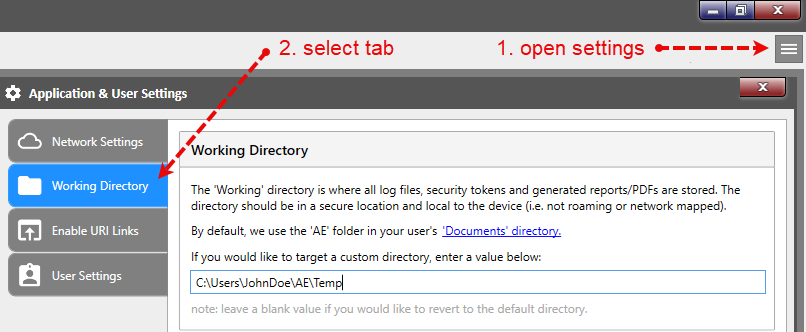
Open Settings and specify an alternate directory
Open the "Application Settings" window and switch to the "Working Directory" tab. Specify a secure and local directory on your device. Click the "Apply" button.