Introduction
When experiencing connection and startup issues it might be necessary to enable additional logging and send through your log files to assist AE Support in diagnosing the root cause.
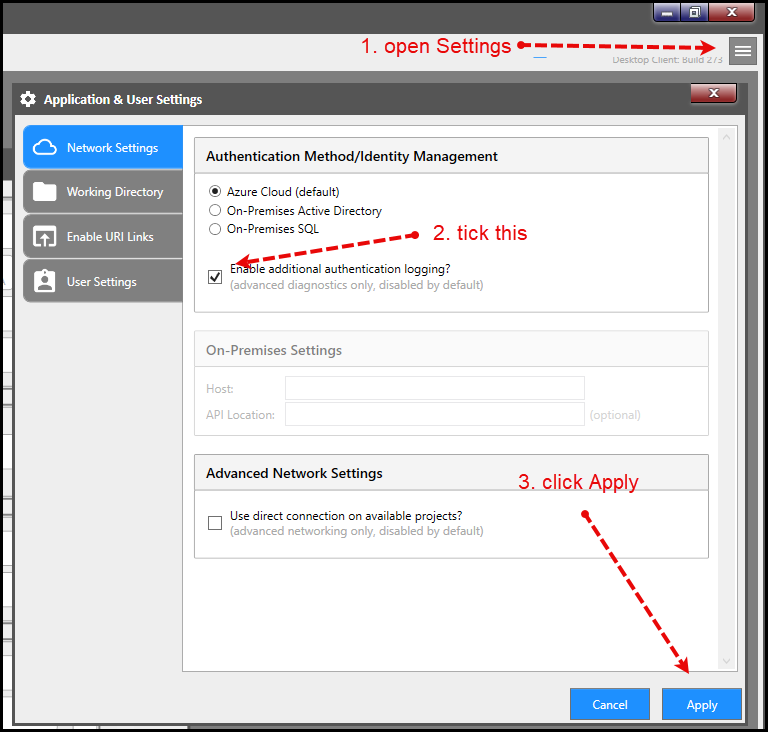
Open Settings and enable startup logging
The first step is to open the "Application Settings" window and enable the actual setting. Once this is enabled the application will log additional information to the log files when the application tries to sign in and connect.
Find the log files
Open the "Settings" window again and do the following.
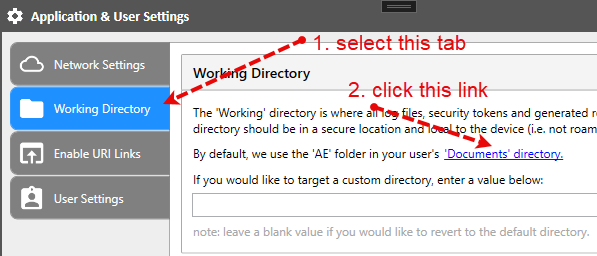
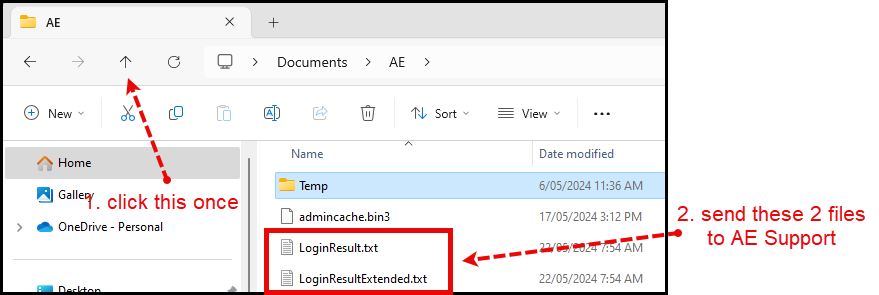
This will open Windows Explorer. Browse to where the log files are, select them and send to your AE Support representative.