Introduction
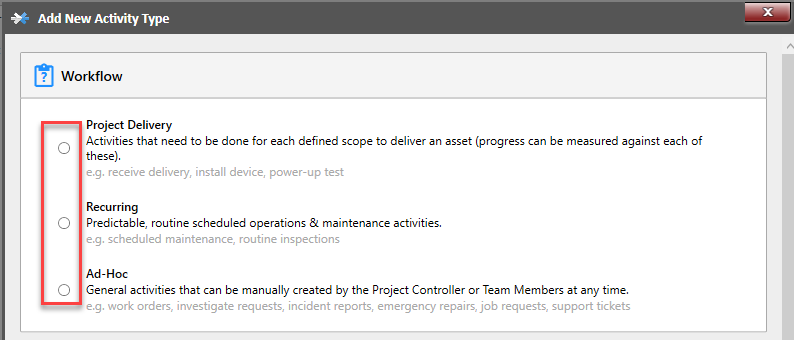
Before we start creating our activity type, we need to select which activity type we will be creating. There are 3 options available:
- Project Delivery - Use in situations when a digital model is being used to complete the construction phase.
- Recurring Maintenance - Use in situations where a physical asset exists and using your digital model to create activities that allow field maintenance and scheduled, routine work that needs to occur for the lifetime of your asset. A history of the completed activity can be linked to your Digital Model for future reference.
- Ad-Hoc - Creating an activity that will allow a team member to raise an activity while on-site to communicate issues identified that will require attention.
Open Project Configuration
Ensure that you are logged in as "Project Controller" (PC).
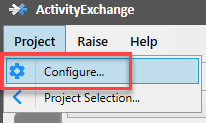
Select:
- 'Project' from the main menu
- 'Configure' from drop down menu
Add New Activity
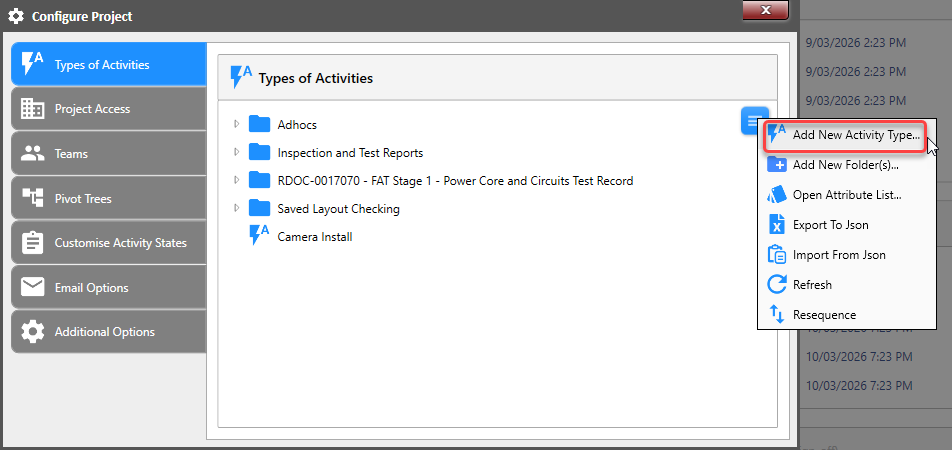
This screen will allow you to monitor your whole project as per the left side of the menu states. For raising a new activity we need to be in "Types of Activities" tab. On the right side of the window there is a "Menu" icon. Left click this icon and select "Add New Activity Type".
Workflow
Select the activity type you are creating and select 'Next' to progress to the Properties tab.